Start with a draft journey
Open Automations. Free includes ordinary multi-email signup welcome sequences. Start with one message or add, reorder and edit more, up to the same 50-message operational bound in Free and Pro. Optional welcome coupons need WooCommerce. Confirmation and unsubscribe messages stay separate from marketing.
Keep the journey in Draft while checking the signup promise. Only one signup welcome can be active at a time. A recipe is a starting point; installing the plugin or selecting a recipe does not activate sending.
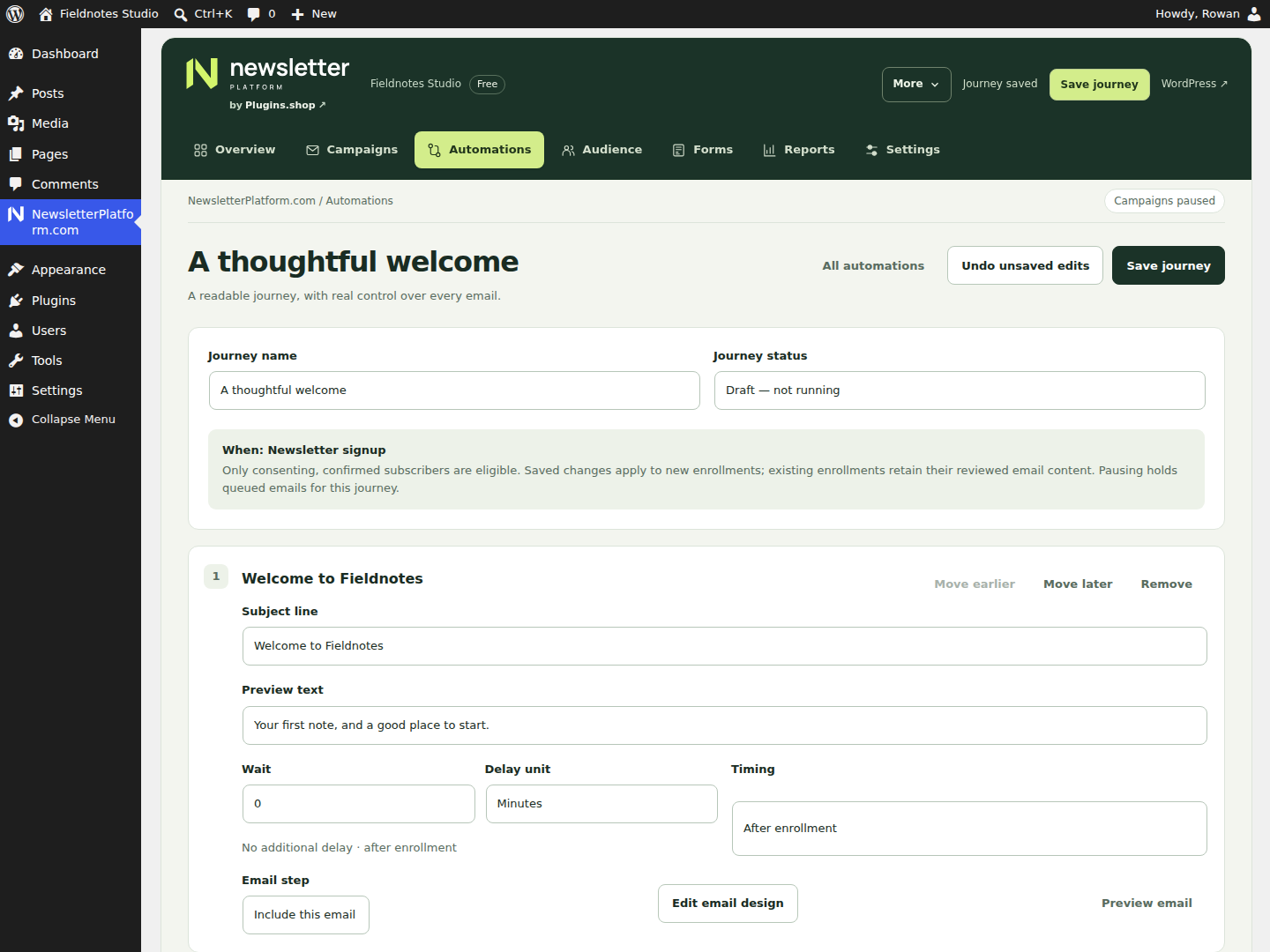
Edit the content and timing
Review each subject, preview text, design and destination. Use the delay controls with readable minutes, hours or days. Check whether a delay is after signup or after the preceding message; coupon-expiry timing applies only where supported and configured. The site’s default 24-hour frequency setting applies to broadcast campaigns. Welcome sequences follow their authored delays, subject to sending windows, provider pacing and each subscriber’s own preferences.
For example, a short first welcome and one useful later follow-up may serve readers better than keeping every recipe email. In Free, remove or reorder messages that do not earn their place. Pro adds purchase conditions and more specific entry triggers.
Test before activation
Inspect previews and synthetic simulations on staging. For actual received messages, use a consenting owned subscriber in a deliberately authorized sending environment. Confirm production identity and transport readiness before live operation; nonproduction environments hold ordinary confirmations and marketing.
Check timing, coupon behavior if used, preference links and unsubscribe. An authorized sender activates the reviewed journey.
Understand later changes
Paused holds future work for the journey; in-flight mail may still finish. Saved edits apply to new enrollments, while existing enrollments retain captured content. Imports do not enroll contacts into welcome journeys.
Pro also offers publisher triggers for confirmed signup, source, tags, selected topics and time since confirmation. These are described separately in the publisher automation guide.