Set up a roundup
In Automations, create a roundup with a name, subject, maximum posts, preparation interval, lookback and optional category selection. Keep recurring preparation off until those choices are correct. Draft-only operation is the default.
Prepare the first draft
Choose Prepare draft now to inspect an edition. This action always creates a draft; it does not send even when an automatic policy exists. Review titles, excerpts, buttons and destination links, and add context or images in Campaigns where useful.
Empty and already prepared editions are skipped. A durable edition receipt prevents deleting a campaign from causing the same edition to be prepared again.
Edit in Campaigns
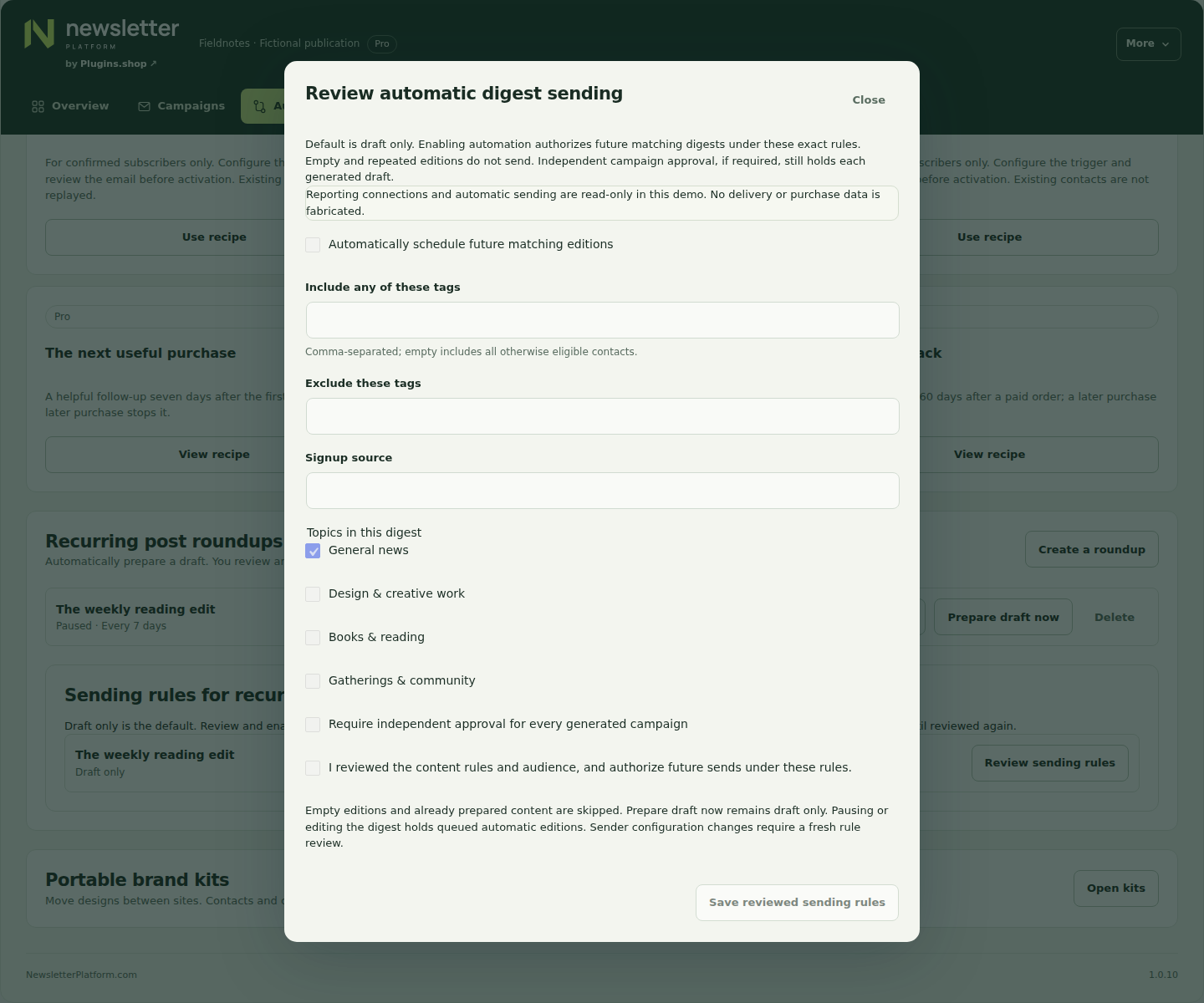
For manual operation, save the draft, test it, rehearse and schedule through the normal campaign flow. You remain responsible for the audience and final message. To use automatic operation, open Sending rules for recurring digests → Review sending rules.
Review the tags, source and topics that define the audience. Read the acknowledgement before choosing Automatically schedule future matching editions and Save reviewed sending rules. An authorized sender must explicitly approve this policy.
Keep future sending under review
The policy binds the digest configuration, audience and sender. Editing preparation settings disables automatic sending until reviewed again; pausing or changing the policy holds dependent queued editions. Normal rehearsal, consent, preferences and delivery checks still apply.
If an administrator requires independent approval for each generated campaign, it remains a draft for separate review and scheduling. Automatic preparation never bypasses that requirement. Host scheduling still controls when eligible work runs.